
In this article
- TL;DR: The Short Answer
- What Actually Happens When You Upload a File to ChatGPT?
- The Five Real Risks, Ranked
- What's on Your Bank Statement That You Should Never Share?
- If You Must Use ChatGPT: The Safe Step-by-Step Method
- The Safer Alternatives (You Probably Already Have One)
- What You Can Safely Ask ChatGPT (Without Uploading Anything)
- Frequently Asked Questions
- Final Verdict
TL;DR: The Short Answer
No — you should not upload an unredacted bank statement to ChatGPT. On a consumer account (Free, Plus, or Pro), your conversations may be used to train OpenAI’s models by default, and they are stored and potentially reviewed by humans. A bank statement contains your account number, routing number, name, address, and full transaction history — exactly the kind of data identity thieves want. If you want AI help with your spending, the safe path is to redact every identifier first, flip off the training setting, and use Temporary Chat — or skip the upload entirely and use a regulated finance app that connects via read-only Plaid. A now-famous Reddit thread from a user who uploaded a statement “because I was being lazy” is a good reminder: convenience is exactly what gets people in trouble with sensitive data.
What Actually Happens When You Upload a File to ChatGPT?
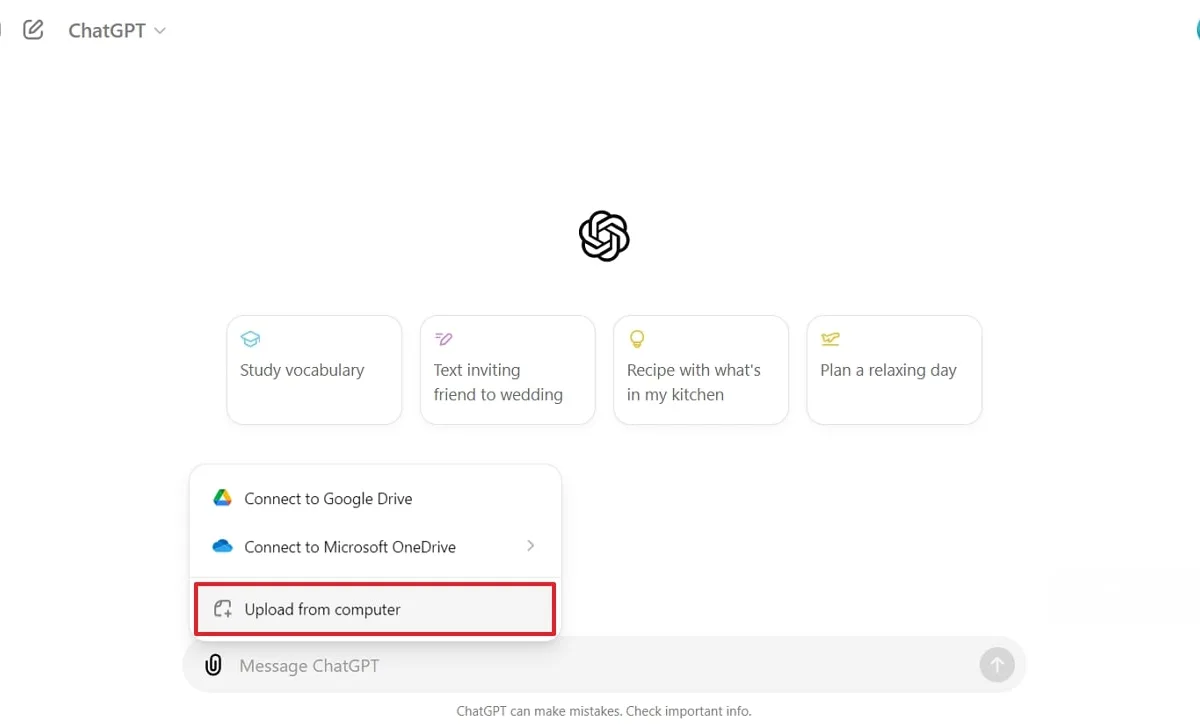
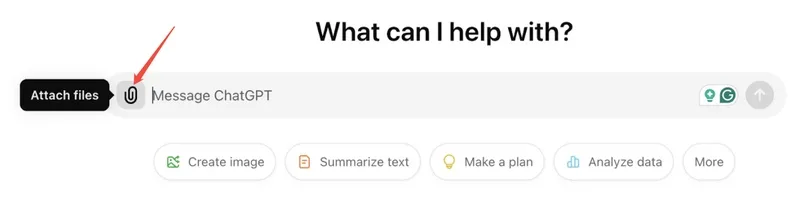
When you click the paperclip and attach a bank statement, the file travels to OpenAI’s servers, where it is processed, stored with your account, and logged. From there, four things can happen that are out of your control: it may be used to train and improve OpenAI’s models; it may be retained for abuse-monitoring and safety reviews; a small sample of conversations may be reviewed by human annotators; and it remains vulnerable to any future data breach at the company.
The critical detail is your account type. On consumer ChatGPT (Free, Plus, Pro), content may be used for training by default. You can opt out in two equivalent ways: turn off “Improve the model for everyone” under Settings → Data Controls, or select “Do not train on my content” in OpenAI’s Privacy Portal — you only need to do one. After you opt out, new conversations are not used for training and are deleted from OpenAI’s servers within about 30 days, per OpenAI’s official help center article on how your data is used. On ChatGPT Team, Enterprise, Edu, or the API platform, your data is not used for training by default — no opt-out needed. And Temporary Chat (incognito mode) is never used for training at all.
The catch most people miss: turning off training does not make an upload “safe.” It only prevents one of the four risks. Your statement is still stored, still potentially sampled for review, and still exposed to any breach. That is why redaction — removing the sensitive data before it ever leaves your device — is the only real protection.
The Five Real Risks, Ranked
| Risk | How it works | How likely? | How bad if it happens? |
|---|---|---|---|
| Training data ingestion | Your statement text becomes part of model training | Default on consumer accounts | High — permanent loss of control |
| Human review | OpenAI may sample and read conversations | Low percentage, but possible | High — a stranger reads your finances |
| Data breach | Hackers access stored conversation data | Low but real (has happened) | High — full PII exposed |
| Model memorization | AI regurgitates your data to another user | Very rare | High if it happens |
| Phishing/social engineering | Your transaction data enables targeted scams | Depends on exposure | Moderate to high |
The breach and leak history is real and well-documented. In March 2023, an OpenAI bug in an open-source library leaked chat titles and some payment information for about 1.2% of ChatGPT Plus subscribers. That same spring, Samsung engineers leaked proprietary semiconductor source code into ChatGPT on three separate occasions in under a month — prompting Samsung to ban the tool company-wide. Italy temporarily banned ChatGPT in March 2023 over data-protection concerns and later fined OpenAI €15 million (the fine was cancelled in March 2026 after compliance changes). In July 2023, the FTC opened an investigation into whether OpenAI engaged in unfair or deceptive practices around privacy and data security, as Nolo’s AI and data privacy overview explains. None of these incidents exposed individual bank statements specifically — but they prove the system that holds your data is not bulletproof.
What’s on Your Bank Statement That You Should Never Share?
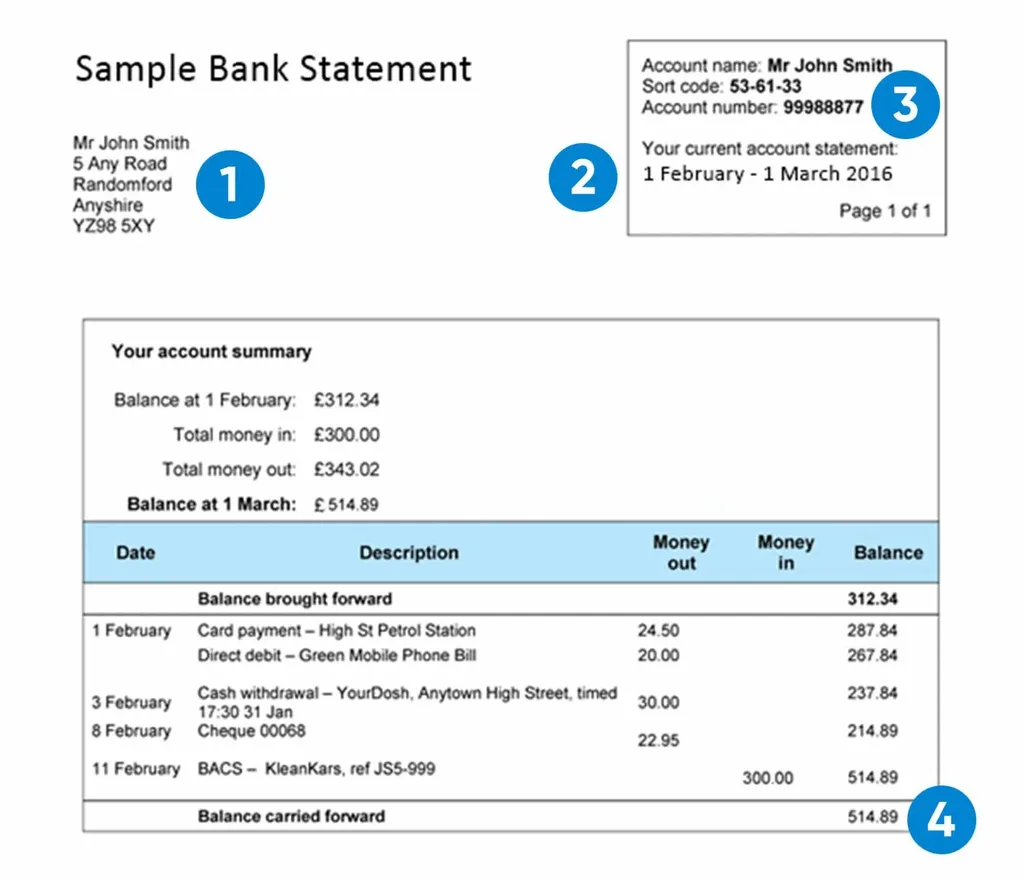
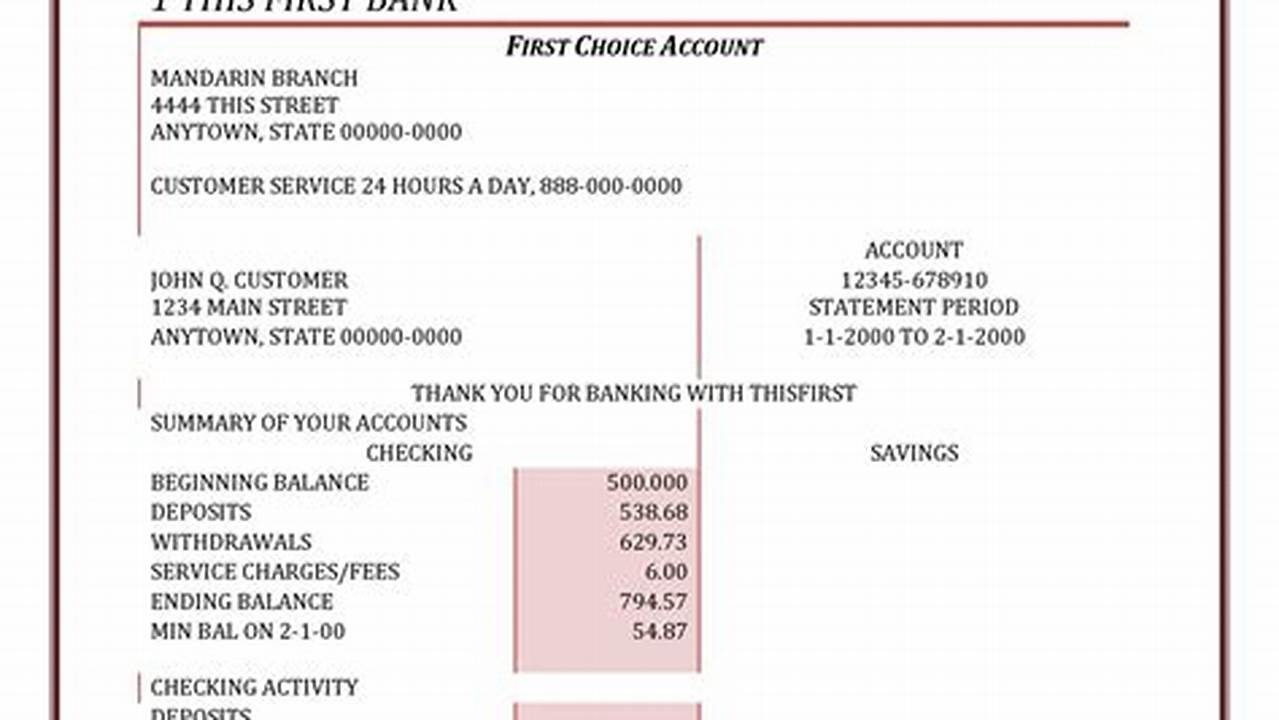
A bank statement looks boring, but it is a goldmine for fraudsters. Before you even think about uploading one, understand exactly what you are handing over:
- Account number and routing number — enough for someone to set up unauthorized ACH withdrawals or wire fraud.
- Your full name and home address — the building blocks of identity theft.
- Your employer’s name (direct deposit) — reveals where you work and your income level.
- Full transaction history — shows your salary, rent, medical bills, subscriptions, travel, and shopping habits.
- Other account holders’ names — joint accounts expose your spouse or family too.
- Branch and statement details — sometimes includes partial account numbers or reference codes.
None of this is needed for AI to help you budget or categorize spending. The AI only needs the amounts and merchant descriptions. Everything else — names, numbers, addresses — is pure risk with zero benefit.
If You Must Use ChatGPT: The Safe Step-by-Step Method
Sometimes you really do want AI to parse your spending — for a budget, a tax estimate, or a debt-payoff plan. If that is you, follow every one of these steps, in order:
- Work on a copy, never the original. Duplicate the statement file and redact the copy. Keep the original safely on your device.
- Redact every identifier. Black out: full account numbers, routing numbers, your name, your address, your employer, other people’s names, branch info, signatures, QR codes, barcodes, and reference numbers. Use a real PDF redaction tool that permanently removes text — do not just draw a black box on top, because the text underneath can often be selected and copied.
- Verify the redaction. Open the redacted file in a separate viewer, search for your name and account number, and try selecting text under the black boxes. If you can highlight it, it is not actually redacted.
- Flip the privacy settings. Go to Settings → Data Controls and turn off “Improve the model for everyone.” Or use Temporary Chat (incognito mode), which is never used for training.
- Ask for what you need, then delete. Once you have the answer, delete the conversation from your history. Remember that deleting the chat in the app removes it from your view, but server-side retention follows OpenAI’s policy — another reason redaction comes first.
- Never paste login credentials. No legitimate AI tool ever needs your bank password. If anything asks for it, close it immediately.
The Safer Alternatives (You Probably Already Have One)
Uploading a raw statement is the least safe way to get AI money help. Here are better options, from most to least convenient:
- ChatGPT Finances via Plaid. If you have ChatGPT Plus or Pro, the built-in Finances feature connects to 12,000+ institutions through Plaid in read-only mode. Your bank login never touches OpenAI’s servers, ChatGPT cannot see full account numbers or move money, and you can disconnect at any time — OpenAI says it deletes the synced data within 30 days. Read the official Finances in ChatGPT help article for the exact privacy terms. This is strictly safer than uploading a PDF.
- Dedicated finance apps. Regulated budgeting and finance-chatbot apps are built for this. Our guide to the best AI finance chatbot tools covers Cleo, Monarch Money, Copilot, and more — all of which connect read-only and never ask you to upload a statement. For budgeting specifically, see our AI budgeting picks.
- The API or Enterprise tier. If you use ChatGPT through the API or a Team/Enterprise account, your data is not used for training by default. That is the safest way to use OpenAI’s models with real financial data.
- Local or offline tools. For maximum privacy, run a local spreadsheet or a privacy-first budgeting tool on your own device. Nothing leaves your computer at all.
One extra note: the same caution applies to tax documents. A W-2 or 1099 has your Social Security number, which is far more dangerous than a bank account number. If you are tempted to upload tax forms to AI, read our guide on AI taxes first — it covers which tools are regulated and safe.
What You Can Safely Ask ChatGPT (Without Uploading Anything)
You do not need to upload a statement to get great money advice. These prompts use rounded numbers and fictional labels — no PII at all:
- “I spend about $3,200 a month on rent, $600 on groceries, and $250 on subscriptions. How can I cut 10% without changing my lifestyle much?”
- “I have $12,000 in credit-card debt at 22% APR and make $6,000 a month. Show me a payoff plan using the avalanche method.”
- “I want to build a 3-month emergency fund on a $4,500 monthly income. How much should I save each month, and where should I keep it?” (For where to keep it, see our high-yield savings guide.)
- “I have $25,000 to invest and a 25-year horizon. Explain the pros and cons of index funds vs. a robo-advisor in plain language.” (Then see our AI investing apps picks to actually execute.)
- “I make $85,000 a year, save 15%, and want to retire at 60. Is that realistic, and what should I adjust?” For regulated planning, compare our AI financial advisor startups.
The pattern is simple: give the AI numbers, not identities. Amounts and percentages are enough for analysis. Names and account numbers are never needed.
Frequently Asked Questions
Is it safe to upload a bank statement to ChatGPT?
Not unredacted. On consumer accounts, your upload may be used for model training, is stored on OpenAI’s servers, and may be reviewed by humans. Redact all account numbers, names, and addresses first, turn off training in Data Controls, and consider a read-only Plaid connection instead.
Does ChatGPT save the files I upload?
Yes. By default, uploaded files and conversations are saved to your account and retained by OpenAI for service improvement and abuse monitoring, unless you opt out of training or use Temporary Chat. Even after you delete a conversation, server-side retention follows OpenAI’s data policy.
How do I stop ChatGPT from using my data for training?
Go to Settings → Data Controls and turn off “Improve the model for everyone,” or submit “Do not train on my content” in the OpenAI Privacy Portal. Either one works. Team, Enterprise, Edu, and API accounts do not use your data for training by default.
Can ChatGPT read my bank statement PDF?
Yes — ChatGPT Plus and Pro can read uploaded PDFs and images. That is exactly the problem: it can read the account numbers and personal details too, not just the transactions.
Is it safer to connect my bank to ChatGPT Finances than to upload a statement?
Yes. ChatGPT Finances uses Plaid in read-only mode — your login never reaches OpenAI, full account numbers are not shared, and you can disconnect at any time. It is still not a regulated financial advisor, but it is structurally safer than uploading a raw PDF.
What should I redact from a bank statement before uploading?
Black out account numbers, routing numbers, your full name, address, employer, other account holders’ names, branch info, signatures, QR codes, barcodes, and reference numbers. Keep only amounts, dates, and merchant descriptions. Use true PDF redaction, not just a black box drawn on top.
What happens if my bank data leaks from ChatGPT?
If you suspect exposure, contact your bank immediately to monitor for fraud, consider freezing your credit, change your online banking password, and enable two-factor authentication. Report identity theft to the FTC at IdentityTheft.gov.
Can I trust ChatGPT’s financial advice?
ChatGPT can explain concepts and run simple math, but it is not a fiduciary advisor and can hallucinate numbers or cite outdated rules. Verify anything important against your actual statements and, for big decisions, consult a regulated human or robo-advisor.
Final Verdict
Uploading an unredacted bank statement to ChatGPT is one of those things that feels harmless in the moment — it is just one file, right? — but hands over more sensitive data than almost anything else on your computer. The safe rule is simple: never share identifiers you would not hand to a stranger. If you want AI help with your money, use rounded numbers in chat, connect via a read-only Plaid link like ChatGPT Finances, or use a regulated finance app. Turn off training, redact ruthlessly, and remember that the most secure upload is the one you never make. Your bank account number is worth protecting far more than the ten minutes you might save by skipping these steps.


Leave a Reply