

In this article
- What Is an AI Investing App, and Do Beginners Need One?
- Before You Invest: 3 Money Moves to Make First
- How We Tested and Ranked These Apps
- The Best AI Investing Apps for Beginners at a Glance
- Detailed Reviews of the Best AI Investing Apps for Beginners
- What the AI Actually Does in These Apps
- How to Choose the Right AI Investing App for You
- Stay Safe: Red Flags and Investor Protections
- Frequently Asked Questions
- Final Verdict: Which AI Investing App Should a Beginner Pick?
An AI investing app uses algorithms and machine learning to build a diversified portfolio for you, rebalance it automatically, and answer your questions in plain English — no finance degree required. After testing the major platforms in 2026, we named Fidelity Go the best low-cost starter for true beginners, Betterment the best for guided planning, and Acorns the easiest way to build the investing habit with spare change. If you want the purest AI experience, Magnifi lets you research and build portfolios by typing plain-English questions.
You do not need thousands of dollars to start. Several apps on this list let you begin with $1, $10, or $50. But before your first trade, take ten minutes to get the basics right: pay off high-interest debt, build a small emergency fund in a high-yield savings account, and make sure you capture any employer 401(k) match. An AI budgeting app can help you free up that first $50 to invest. This guide walks you through the seven best options, what their AI actually does, and how to pick one without getting scammed.
What Is an AI Investing App, and Do Beginners Need One?
An AI investing app — often called a robo-advisor when it manages money for you — is software that replaces the work a human advisor used to do. You answer a short quiz about your goals, time horizon, and risk tolerance, and the algorithm builds a portfolio of low-cost index funds or ETFs. It then rebalances that portfolio automatically, harvests tax losses in taxable accounts, and (in the newer generation) answers questions like “how much do I need to retire at 55?” in plain English.
For a beginner, the biggest value is not beating the market. It is removing the three barriers that stop most people from ever starting: not knowing what to buy, not having enough for a full share, and forgetting to invest consistently. These apps solve all three with fractional shares, low minimums, and automatic deposits. You still own every dollar — the app just handles the paperwork and the math.
Before You Invest: 3 Money Moves to Make First
Investing works best when you build on a stable foundation. Do these three things first, in this order:
- Pay off any debt above ~8% interest. Credit cards often charge 20%+ APR. No investment reliably beats that, so clearing the debt first is your guaranteed “return.”
- Build a $500–$1,000 starter emergency fund. Keep it somewhere liquid and growing, like a high-yield savings account, so you never have to sell investments at a loss when life happens.
- Claim your full employer 401(k) match. If your employer matches 50% of your contributions up to 6% of salary, that is an instant 50% return. Skip it and you leave free money on the table.
Once those three are handled, even $25 or $50 a month into one of the apps below will compound into something meaningful over a decade or two.
How We Tested and Ranked These Apps
We did not trust any app’s “AI-powered” label. We tested each platform against five concrete criteria:
- Real AI or automation features — portfolio construction, automatic rebalancing, tax-loss harvesting, or genuine natural-language research.
- Beginner accessibility — low minimums, fractional shares, clean interface, and clear educational content.
- Fees and transparency — advisory fees, fund expense ratios, and any hidden charges. Fees compound against you, so we penalized opaque pricing.
- Safety and regulation — SEC-registered, SIPC insurance on brokerage accounts, and a clear privacy policy. The SEC’s Investor.gov site lets you verify any firm’s registration before you fund an account.
- Independent validation — we cross-checked our picks against NerdWallet, PCMag, and app-store ratings.
The Best AI Investing Apps for Beginners at a Glance
Use this table to narrow your shortlist, then read the full review of your top two or three.
| App | Best For | Fee | Minimum | AI / Automation Highlight |
|---|---|---|---|---|
| Fidelity Go | Lowest-cost starter | 0% under $25k; 0.35% above | $10 to invest | Automated ETF portfolios, rebalancing |
| Betterment | Guided planning & advice | 0.25% AUM (or $5/mo small balances) | $10 | Goal-based planning, tax-loss harvesting |
| Wealthfront | Hands-off automation | 0.25% AUM | $500 | Daily tax-loss harvesting, Self-Driving Money |
| Acorns | Spare-change habit building | $4–$12/mo flat | $5 | Round-Ups auto-investing, ETF portfolios |
| Magnifi | Pure AI research assistant | Free basic; ~$14/mo premium | $0 (research) | Conversational AI, portfolio health score |
| Robinhood | Self-directed + AI research | $0 commissions | $0 | AI research assistant, fractional shares |
| M1 Finance | Free customizable pies | $0 advisory | $100 | Automated rebalancing of custom portfolios |
Independent reviewers reach a similar conclusion. NerdWallet’s ranking of the best robo-advisors awarded Fidelity Go a near-perfect score for its zero-fee entry tier, and it placed Betterment and Wealthfront at the top for overall service.
Detailed Reviews of the Best AI Investing Apps for Beginners
1. Fidelity Go — Best Low-Cost Starter for True Beginners
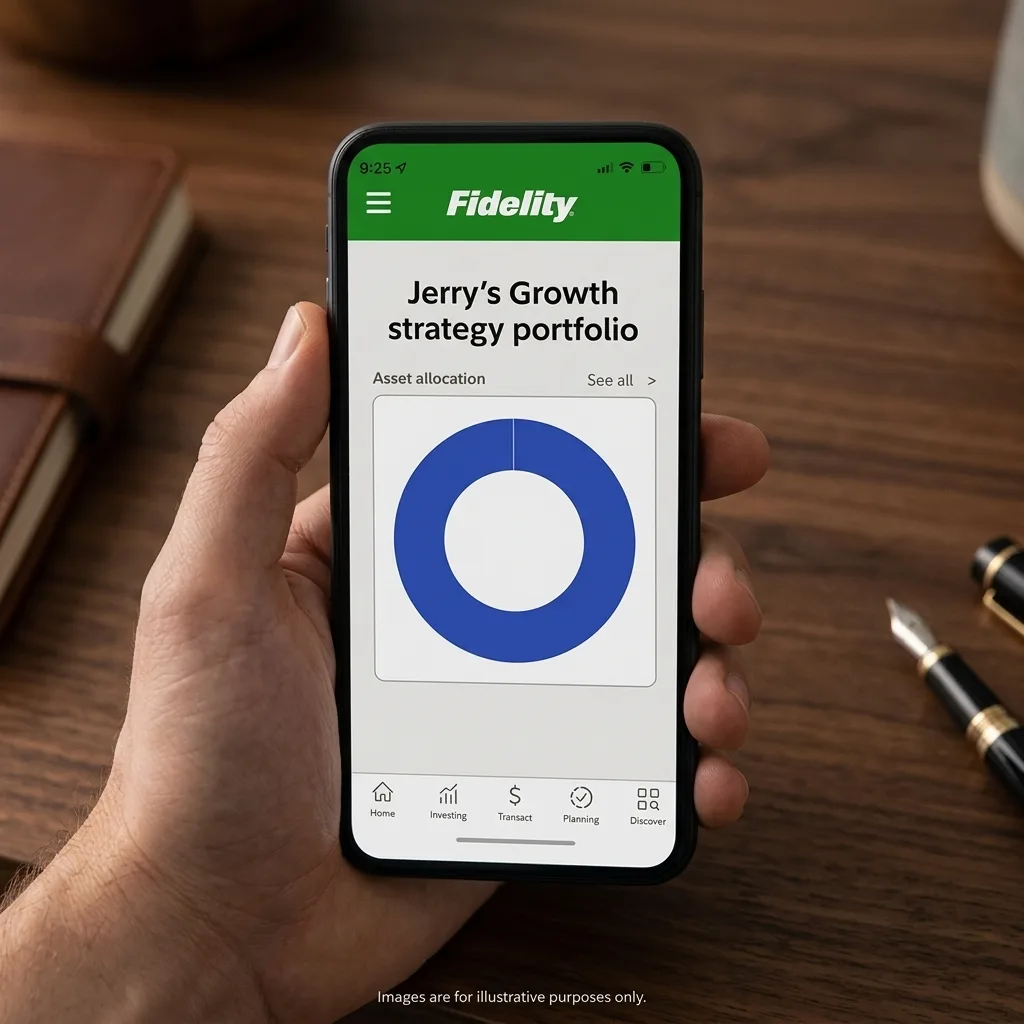
Fidelity Go wins the top spot for beginners because it removes the two scariest obstacles: cost and complexity. You open an account with $0 and start investing with just $10. If your balance stays under $25,000, you pay no advisory fee at all — and the underlying Fidelity Flex funds carry zero expense ratios. That means a beginner can invest real money for genuinely nothing until their balance grows. Above $25,000 the fee is 0.35% a year, still well below a human advisor.
The app asks you a few questions about goals and risk, then builds a diversified portfolio of stock and bond index funds. It rebalances automatically and shows your progress in plain language. The tradeoff: it does not offer tax-loss harvesting, and you cannot customize the portfolio much. For a beginner, that simplicity is a feature, not a bug.
Key details:
- Fee: 0% advisory under $25k; 0.35% annually above $25k.
- Minimum: $0 to open; $10 to begin investing.
- Pros: Big trusted institution, zero-fee entry, no fund expenses, clean app, IRA and taxable accounts.
- Cons: No tax-loss harvesting, limited customization, no human advisor access.
2. Betterment — Best for Guided Planning and Advice
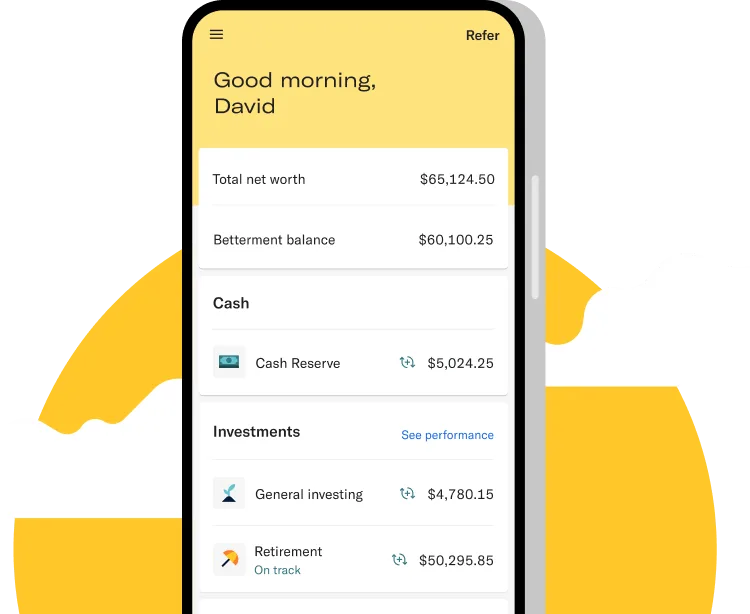
Betterment invented the modern robo-advisor and still sets the bar for guidance. After your risk quiz, it builds a globally diversified portfolio of low-cost ETFs and automatically rebalances it. On taxable accounts it runs daily tax-loss harvesting, which can boost after-tax returns a little each year. Its goal-planning tools are the best in class: you can set a retirement target, a house down payment, or a vacation fund and see exactly how much to invest each month.
Pricing is 0.25% of assets annually for the Digital plan. Small-balance users can pay a flat $5/month instead if they set up auto-deposits, which often works out cheaper. If you reach $100,000, Premium (0.40%) adds unlimited access to human certified financial planners.
Key details:
- Fee: 0.25% AUM (Digital) or flat $5/month option; Premium 0.40% at $100k.
- Minimum: $0 to open; $10 to invest.
- Pros: Excellent planning tools, tax-loss harvesting, human advice upgrade, crypto option, joint accounts.
- Cons: Percentage fee adds up as balance grows, no direct indexing below Premium.
3. Wealthfront — Best Hands-Off Automation and AI Features
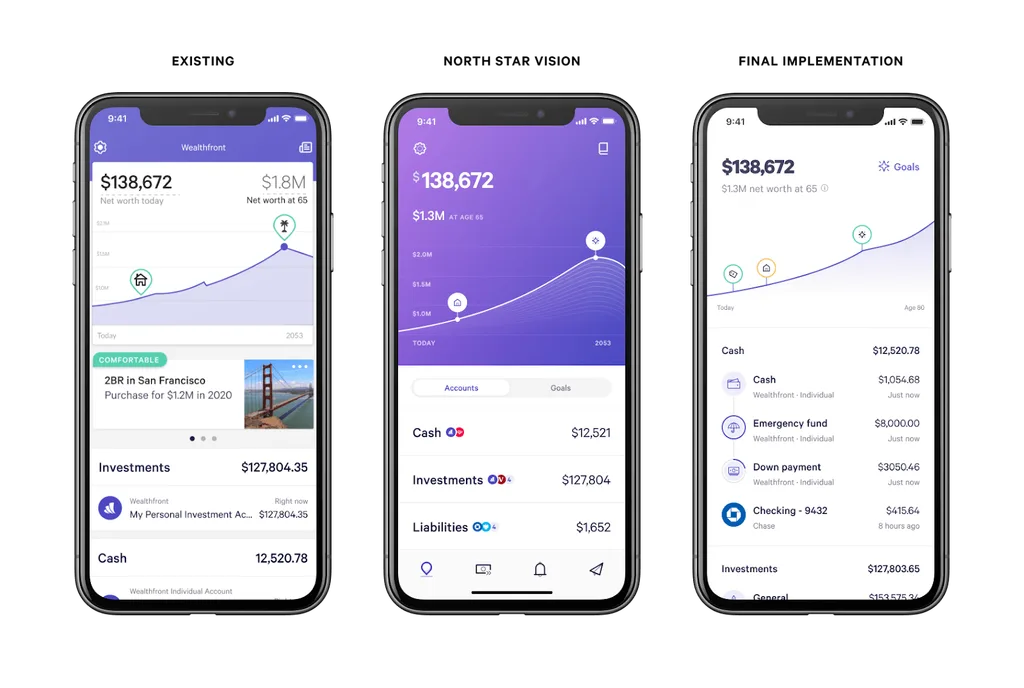
Wealthfront is the most “set it and forget it” app on this list. It charges a flat 0.25% annual fee and requires $500 to start. In return you get automatic rebalancing, daily tax-loss harvesting on every taxable account, direct indexing (for balances above $100,000) that can improve tax efficiency further, and its “Self-Driving Money” feature that automatically moves cash between your checking, savings, and investment accounts according to rules you set.
Its planning software is also excellent: link your outside accounts and it projects your retirement, home-buying, and college-savings trajectories. The main downside is the $500 minimum, which is higher than Fidelity Go or Betterment. There is also no human advisor option — the product is fully digital by design.
Key details:
- Fee: 0.25% annually (drops to 0.20% above $500k for some clients).
- Minimum: $500.
- Pros: Best-in-class automation, daily tax-loss harvesting, direct indexing, high-APY cash account.
- Cons: $500 minimum, no human advisor access, fee applies on all managed assets.
4. Acorns — Best for Building the Investing Habit With Spare Change
Acorns exists for one job: turning people who never invest into people who do. Its signature Round-Ups feature links to your debit or credit card, rounds every purchase up to the nearest dollar, and invests the difference into a diversified ETF portfolio matched to your risk level. Buy a $4.60 coffee and Acorns invests $0.40. It sounds trivial, but those tiny automatic deposits turn into thousands of dollars over a few years — and, more importantly, they build the habit.
Acorns uses a flat monthly subscription rather than a percentage fee: Bronze is $4/month, Silver $8/month, and Gold $12/month for new subscribers, covering investing, an IRA, checking, and family features depending on tier. The flat fee is great as your balance grows, but on a small $100 portfolio it is expensive in percentage terms. Students often qualify for discounted or waived fees. Acorns publishes its own flat monthly subscription breakdown if you want to compare it with percentage-based apps.
Key details:
- Fee: $4–$12/month flat, depending on tier (students may qualify for discounts).
- Minimum: $0 to open; $5 to start investing.
- Pros: Dead simple, Round-Ups remove friction, diversified ETFs, IRA and checking included, family plans.
- Cons: Flat fee is costly on tiny balances, no individual stock picking, limited customization.

5. Magnifi — Best Pure AI Investing Assistant
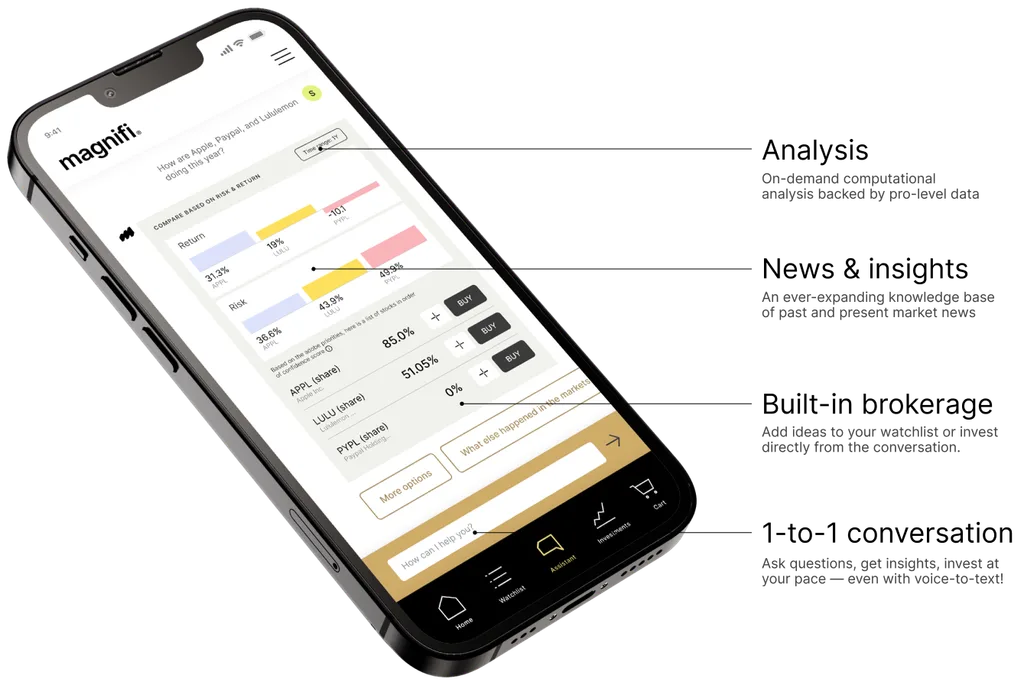
Magnifi, built by fintech AI company TIFIN, is the closest thing to typing a question and getting an investment answer. Its free tier lets you ask plain-English questions — “compare VTI and VOO” or “build a beginner portfolio for a 30-year-old” — and the AI pulls real data, sources it, and explains the reasoning. A premium tier (about $14/month, or roughly $99/year) adds AI-managed portfolios, a portfolio health score that flags concentration risk, and the ability to link outside brokerages like Robinhood, E*TRADE, Schwab, and Vanguard.
Magnifi is research-first, not custody-first. It is ideal for a beginner who wants to learn by asking questions before committing money. Pair it with a low-cost custodian like Fidelity or M1 for the actual trades, or use Magnifi’s own commission-free trading if you want everything in one app.
Key details:
- Fee: Free basic research tier; premium around $14/month for AI portfolios and deeper analysis.
- Minimum: $0 for research; low minimums for managed portfolios.
- Pros: Best conversational AI in the space, links outside brokerages, portfolio diagnostics, paper-trading simulations.
- Cons: Premium features cost extra, younger company, less brand recognition than Fidelity or Vanguard.
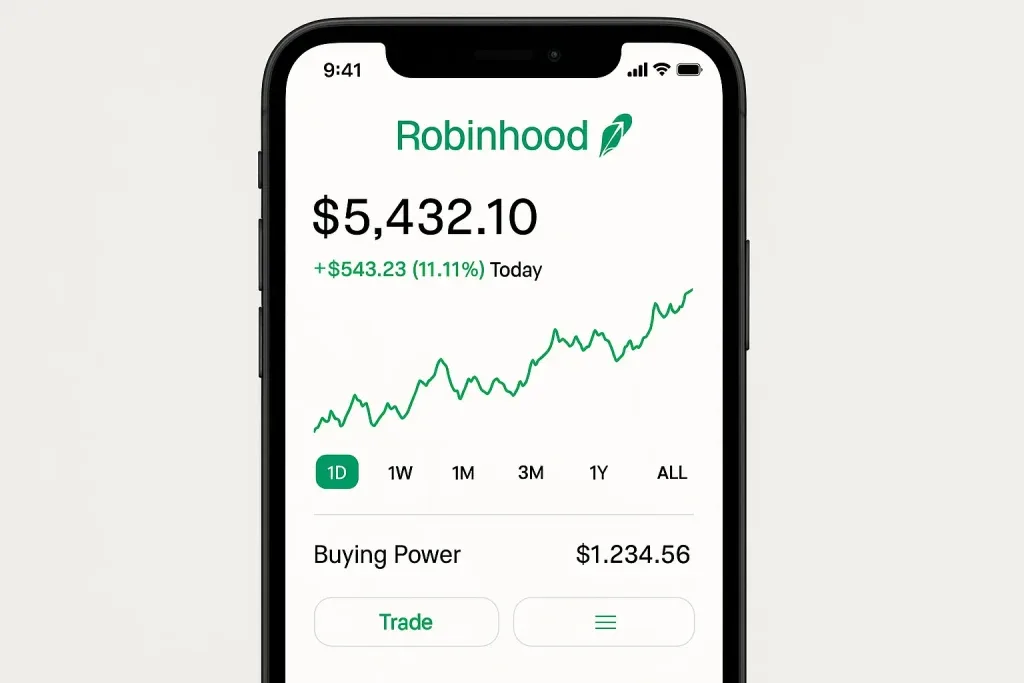
6. Robinhood — Best for Self-Directed Beginners Who Want AI Research
Robinhood democratized zero-commission trading, and it remains the simplest app for a beginner who wants to buy individual stocks, ETFs, or crypto without paying per trade. It offers fractional shares from $1, no account minimum, and an AI research assistant that answers questions about companies and market trends. Its Robinhood Strategies product adds a managed robo-portfolio for a 0.25% fee ($50 minimum), waived for Gold members above $100,000.
The honest caveat: Robinhood’s gamified interface can encourage overtrading, and frequent buying and selling usually lowers returns for beginners. Use it for low-cost, long-term ETF and fractional-share investing — not day trading — and its AI research as a learning tool, not a crystal ball.
Key details:
- Fee: $0 commissions on stocks, ETFs, and options; Gold $5/month; managed Strategies 0.25%.
- Minimum: $0; fractional shares from $1.
- Pros: Zero commissions, fractional shares, clean UI, AI research assistant, crypto and futures access.
- Cons: Gamified design can tempt overtrading, past outages drew criticism, weaker retirement planning tools.
7. M1 Finance — Best Free Customizable Automated Portfolios
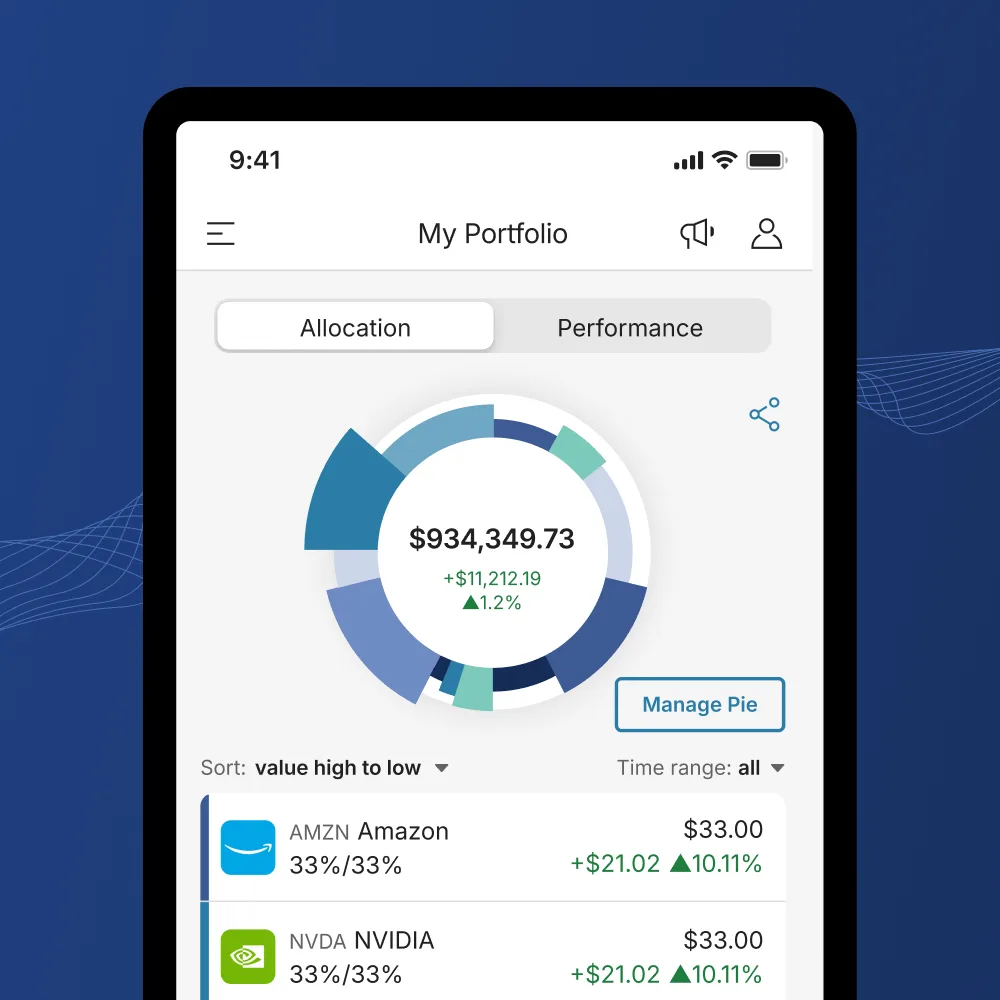
M1 Finance blends the best of both worlds: it is free to use (no advisory fee on the basic plan), yet it automates the hard parts. You build a “Pie” of stocks and ETFs with target percentages — or pick one of its expert pre-built pies — and M1 automatically invests new deposits and rebalances to keep your targets on track. It requires $100 to start ($500 for retirement accounts), and it supports fractional shares and recurring deposits.
The optional M1 Plus tier ($125/year) adds a second daily trading window, lower margin rates, and a higher-interest checking account. For a beginner who wants some control over holdings without paying an advisor, M1 is the strongest free option.
Key details:
- Fee: $0 advisory fee for basic; M1 Plus $125/year optional.
- Minimum: $100 ($500 for IRAs).
- Pros: No management fee, fully customizable pies, automatic rebalancing, fractional shares.
- Cons: $100 minimum, one or two trading windows per day (not instant), learning curve for custom pies.
Honorable mentions: SoFi Invest offers commission-free self-directed trading plus low-cost automated portfolios and free access to financial planners, all inside an all-in-one banking app. Charles Schwab Intelligent Portfolios charges no advisory fee but requires $5,000 and holds a sizable cash allocation that can drag on returns. Composer and Q.ai offer genuinely AI-driven strategy building but suit intermediate investors more than first-timers. Ellevest is a strong choice for women-focused goal planning.
What the AI Actually Does in These Apps
The phrase “AI investing” covers a lot of ground. Here is what the technology actually does, so you can tell substance from marketing:
- Portfolio construction. An algorithm turns your age, goals, and risk tolerance into a mix of stocks and bonds — the same math a human advisor uses, but instant and free.
- Automatic rebalancing. When stocks surge and your portfolio drifts to 85% stocks, the app sells a little and buys bonds to restore your target. You never have to think about it.
- Tax-loss harvesting. On taxable accounts, the app sells losing investments to offset gains, lowering your tax bill. It does this daily at Betterment and Wealthfront.
- Conversational research and planning. Newer tools like Magnifi and Robinhood’s AI assistant answer plain-English questions and explain concepts. They do not predict the future — they organize information.
What none of these apps can do: guarantee returns, beat the market consistently, or remove the risk that stocks fall. The S&P 500 has returned roughly 7% per year after inflation over the long run, but any single year can be down 20% or more. The AI manages the process; it cannot eliminate market risk.
How to Choose the Right AI Investing App for You
Match your situation to the pick. NerdWallet’s roundup of investing apps for beginners reaches a similar set of recommendations.
- You have under $25 and want zero fees. Start with Fidelity Go. You can invest real money with no advisory fee and no fund expenses.
- You want guidance and a plan. Choose Betterment. Its goal tools and tax features justify the 0.25% fee.
- You will forget to invest unless it is automatic. Choose Acorns. Round-Ups turn spending into investing without willpower.
- You want to learn by asking questions. Start with Magnifi’s free tier, then move your chosen portfolio to a low-cost custodian.
- You want to pick some stocks yourself. Use Robinhood or M1 Finance for fractional shares, but keep most of your money in low-cost index funds.
- You are saving for retirement. Open a Roth IRA at any of these brokers — your money grows tax-free — and run a retirement calculator to set your monthly target.
Stay Safe: Red Flags and Investor Protections
Legitimate investing apps are regulated by the SEC and FINRA, and your cash and securities at a brokerage are protected by SIPC insurance (up to $500,000, including $250,000 in cash). Before you fund any app, check these four things:
- The firm is registered. Look it up on FINRA BrokerCheck or the SEC’s Investment Adviser Public Disclosure database.
- Returns are never guaranteed. Any app or influencer promising “guaranteed 20% monthly returns” is a scam. The market does not work that way.
- You can withdraw your money easily. Reputable apps let you sell and withdraw within a few business days. If withdrawal is complicated or delayed, walk away.
- Fees are disclosed up front. If you cannot find the fee schedule on the website, choose a different app.
FINRA’s free investing basics hub covers risk, diversification, fees, and how brokerage accounts work — it is worth 20 minutes of reading before your first deposit. Once your portfolio grows into six figures, or if your tax situation gets complex, consider working with a fiduciary financial advisor who can build a plan around your full life, not just your investments.
Frequently Asked Questions
What is the best AI investing app for a complete beginner?
For a true beginner with little money, Fidelity Go is the best first pick because it charges no advisory fee under $25,000 and lets you start with $10. If you want more guidance, Betterment is worth the 0.25% fee. If you struggle to save at all, Acorns’ Round-Ups will build the habit for you.
Are AI investing apps safe?
Yes, when they are SEC-registered brokerages or advisors with SIPC protection. Stick to well-known, regulated names — Fidelity, Betterment, Wealthfront, Acorns, Robinhood, M1 — and avoid any app promising guaranteed high returns. Always verify the firm on FINRA BrokerCheck before depositing money.
How much money do I need to start investing with an AI app?
You can start with $1 at Robinhood (fractional shares), $10 at Fidelity Go or Betterment, $5 at Acorns, $100 at M1 Finance, or $500 at Wealthfront. The amount matters far less than starting and contributing consistently.
Do AI investing apps beat the market?
Most do not try — they build diversified index portfolios that match the market at low cost, which beats the vast majority of active fund managers over time. Their real value is automation, tax efficiency, and removing human mistakes like panic-selling. Tools like Magnifi help you research, but no app reliably predicts stock prices.
What fees should I watch for?
Watch for three fees: the advisory fee (0% to 0.50% per year is normal for robo-advisors), the expense ratios of the underlying funds (aim for under 0.10%), and any trading or withdrawal fees. A flat monthly fee like Acorns’ is cheap on a large balance but expensive on a tiny one.
Should I use a robo-advisor or pick stocks myself?
For 90% of beginners, a robo-advisor or low-cost index-fund portfolio beats picking individual stocks. You can use Robinhood or M1 with a small “fun money” slice (5–10% of your portfolio) to learn stock picking, but keep the core diversified and automated.
Can I use AI investing apps for retirement?
Yes. Every major app offers IRAs — Traditional, Roth, and SEP for the self-employed. For most beginners, a Roth IRA is the best first retirement account because withdrawals in retirement are tax-free. If your employer offers a 401(k) match, contribute enough to capture the full match before anything else.
Is now a good time to start investing?
The best time to start was ten years ago; the second-best time is today. Markets will always feel expensive or scary. Over 20-year periods, consistent monthly investing (dollar-cost averaging) has beaten trying to time the market in nearly every historical stretch. Start small, automate it, and ignore the daily noise.
Final Verdict: Which AI Investing App Should a Beginner Pick?
You cannot go wrong with any of the top three, so choose based on where you are today:
- Fidelity Go if you have less than $25,000 and want to pay nothing in fees.
- Betterment if you want guided planning, tax-loss harvesting, and a path to human advice.
- Acorns if you know you will only invest if it happens automatically.
Open one account, set up a $25 or $50 monthly auto-deposit, and forget about it for a year. The app will handle the rebalancing and the math. Your only job is to keep contributing. Do that consistently for a decade, and you will be astonished at how compounding turns small choices into real financial independence.
Leave a Reply