

In this article
- What Is Free Crypto Tax Software?
- Best Free Crypto Tax Software in 2026
- 1. Koinly
- 2. CoinLedger
- 3. CoinTracker
- 4. CoinTracking
- 5. ZenLedger
- Which Free Crypto Tax Software Is Best?
- Is Free Crypto Tax Software Really Free?
- What Should You Look for in Free Crypto Tax Software?
- How to Use Free Crypto Tax Software
- What Crypto Records Should You Keep?
- What About Form 1099-DA in 2026?
- Are Crypto Transfers Taxable?
- Can Free Crypto Tax Software Calculate Crypto Gains?
- Can You File Crypto Taxes Completely for Free?
- Best Free Crypto Tax Software: Final Verdict
- Final Takeaway
Finding the best free crypto tax software can save you hours of manual work. Crypto tax tools can import transactions, calculate gains and losses, organize cost basis, and help you prepare tax information.
However, “free” does not always mean you can download a complete tax report at no cost. Some platforms let you import transactions and preview your calculations for free, while others offer limited free transaction tracking or reporting.
In this guide, we compare several leading crypto tax platforms with free options in 2026. We also explain what each free plan actually includes so you can choose a tool based on your transaction volume and tax needs.
What Is Free Crypto Tax Software?
Free crypto tax software helps you organize cryptocurrency transactions and calculate tax-related information without requiring an upfront subscription.
Depending on the platform, a free plan may let you:
- Import cryptocurrency transactions
- Connect supported wallets and exchanges
- Track your crypto portfolio
- Calculate gains and losses
- Review cost basis information
- Preview tax calculations
- Generate limited tax reports
The important point is that every provider defines “free” differently. Some platforms offer free calculations but charge for downloadable tax reports, while others provide a limited number of transactions or reports at no cost.
Therefore, always check the current plan details before choosing software.
Best Free Crypto Tax Software in 2026
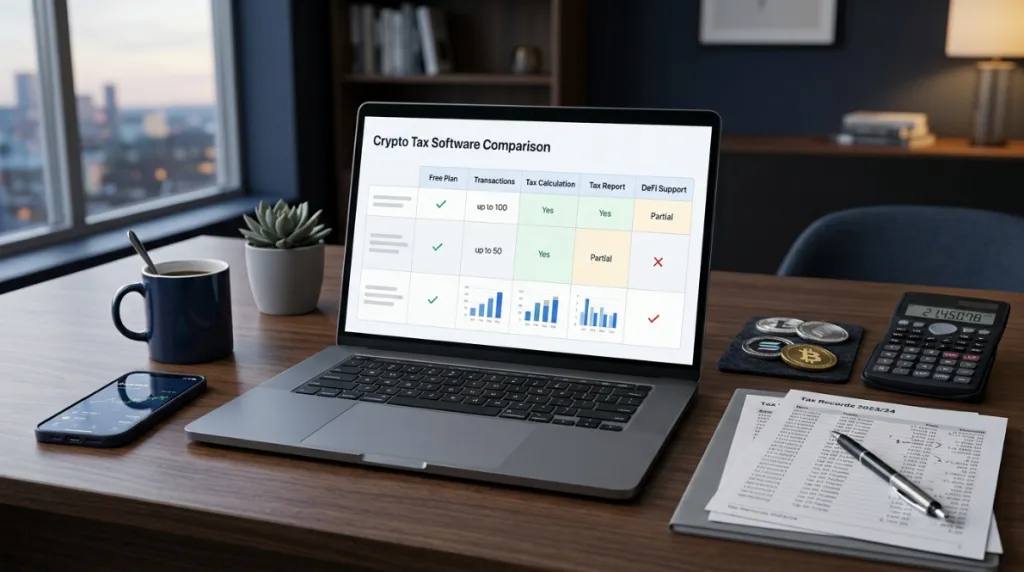
Here are some of the strongest options to consider:
| Software | Free Option | Best For |
|---|---|---|
| Koinly | Up to 10,000 transactions for calculations | Beginners and international users |
| CoinLedger | Free import and report preview | Beginners and complex transaction histories |
| CoinTracker | Free plan available | Portfolio tracking and tax organization |
| CoinTracking | Up to 200 transactions | Small portfolios |
| ZenLedger | Free account and transaction import | DeFi and staking users |
The features and limits below reflect information available in 2026 and can change as providers update their plans.
1. Koinly
Koinly is one of the strongest choices if you want to review crypto tax calculations before paying for a tax report.
Its current free plan allows users to import unlimited wallets and up to 10,000 transactions across all wallets. You can view imported transactions, calculated gains, and the tax summary. However, the free plan does not allow you to generate tax reports.
This makes Koinly particularly useful if you have a large transaction history and want to check whether your data imports correctly before purchasing a report.
Koinly also supports multiple countries, which can make it useful for international crypto investors.
Best for: Large transaction histories, beginners, and international users.
Free-plan limitation: You cannot generate reports on the free plan.
2. CoinLedger
CoinLedger is another strong free-to-start crypto tax platform.
You can connect wallets and exchanges, import transaction data, track your portfolio, and preview your tax calculations without paying upfront. CoinLedger says its standard tax reports cost $49–$199, depending on the report and transaction volume.
One of CoinLedger’s useful features is error reconciliation. The platform can help identify missing cost basis and other transaction-data problems before you download your final tax report.
CoinLedger also supports a broad range of wallets, exchanges, blockchains, DeFi applications, and NFT platforms.
Best for: Beginners, DeFi users, NFT traders, and people with messy transaction histories.
Free-plan limitation: You need to pay when you want to download the standard tax report.
3. CoinTracker
CoinTracker combines crypto portfolio tracking with tax reporting features.
The platform currently offers a free plan, while more advanced tax features are available through paid plans. CoinTracker’s official documentation confirms that tax report access is included with paid plans, while free users have more limited functionality and support.
CoinTracker supports a large range of exchanges and wallets and provides portfolio tracking for free.
For users with a relatively simple portfolio, the free option can be useful for organizing holdings and monitoring crypto activity.
Best for: Portfolio tracking and users with simpler crypto activity.
Free-plan limitation: Comprehensive tax-report features require a paid plan.
4. CoinTracking
CoinTracking is a good option for users with a smaller transaction history.
Its current free plan supports up to 200 transactions. The platform also provides a seven-day trial that allows unlimited imports so users can test the service. According to its current pricing information, tax-report features are available with the paid Starter plan, while the free plan is primarily designed for basic portfolio access and limited transactions.
CoinTracking supports hundreds of exchanges and wallets and also covers DeFi and NFT activity.
Best for: Small portfolios and users who want detailed transaction tracking.
Free-plan limitation: The free plan has a 200-transaction limit and does not provide the same tax-report features as paid plans.
5. ZenLedger
ZenLedger allows users to create an account and import crypto transactions without paying upfront.
Its official pricing information states that users can import and aggregate their crypto transactions for free. You pay when you need to access, view, or download tax reports.
ZenLedger also offers paid plans based on transaction volume. Its current pricing lists plans starting at $49 for up to 100 transactions, with higher tiers for larger portfolios.
The platform supports activities such as DeFi, staking, NFTs, and margin trading on its paid plans.
Best for: Users with DeFi, staking, NFT, or more complex crypto activity.
Free-plan limitation: Tax-report access requires a paid plan.
Which Free Crypto Tax Software Is Best?
There is no single platform that is best for every crypto investor.
Your best choice depends on how many transactions you have and what you need from the software.
Best for a Large Transaction History: Koinly
Koinly stands out for its current free transaction-calculation allowance of up to 10,000 transactions. You can import your data and review calculated gains before purchasing a report.
Best for Error Checking: CoinLedger
CoinLedger is a strong choice if you are concerned about missing cost basis, incomplete transaction data, or other reconciliation problems. Its platform includes tools designed to identify these issues before reporting.
Best for Portfolio Tracking: CoinTracker
CoinTracker is useful if your main goal is to monitor your crypto portfolio while keeping your tax information organized. Its free portfolio tracker supports a broad range of crypto integrations.
Best for Small Portfolios: CoinTracking
CoinTracking can be a practical option if you have no more than 200 transactions and want a free basic plan.
Best for DeFi and Staking Users: ZenLedger
ZenLedger is worth considering if your crypto activity includes DeFi, staking, NFTs, or margin trading. Its paid plans specifically support these transaction types.
Is Free Crypto Tax Software Really Free?

Sometimes, but you need to understand the difference between free access and free tax filing.
For example, Koinly lets you import up to 10,000 transactions and review your calculated gains on its free plan, but you cannot generate a tax report without upgrading.
CoinLedger similarly lets users import data and preview their tax report for free, but standard downloadable tax reports start at $49.
ZenLedger lets you import and aggregate transactions for free but charges for tax-report access.
Therefore, before choosing a “free” crypto tax tool, check whether you need only calculations and tracking or an actual downloadable tax report.
What Should You Look for in Free Crypto Tax Software?
Choosing software based only on price can create problems later. Consider these factors before making your decision.
Transaction Limits
First, check how many transactions the free plan supports.
A person who made 20 trades does not need the same plan as someone who made 5,000 trades.
Wallet and Exchange Support
Your tax software should support the exchanges and wallets you actually use.
If an exchange or wallet is not supported, you may need to import a CSV file or add transactions manually.
DeFi Support
If you use decentralized finance, check whether the platform can properly handle your DeFi activity.

Staking, liquidity pools, lending, NFT transactions, and token swaps can create more complicated records than ordinary purchases and sales.
Cost Basis Tracking
Cost basis is essential when calculating gains and losses.
Your software should correctly connect purchases with later sales or disposals and account for relevant transaction information.
Data Import and Reconciliation
A good platform should make it easy to identify missing or duplicated transactions.
This matters because tax calculations depend on accurate transaction records.
Tax Report Availability
Do not assume that a free calculator also provides a free tax report.
Check whether your chosen platform lets you download the forms or reports required for your tax filing.
How to Use Free Crypto Tax Software
You can usually follow this process:
Step 1: Gather Your Crypto Records
Collect your exchange statements, wallet history, transaction CSV files, and other relevant records.
Step 2: Connect Your Wallets and Exchanges
Use the supported API connections or upload CSV files where necessary.
Use read-only connections whenever available. You should never provide a tax platform with permission to trade or withdraw your crypto.
Step 3: Import Your Transactions
Import purchases, sales, transfers, swaps, staking rewards, and other relevant activity.
Step 4: Review Missing Transactions
Check whether the software imported everything correctly.
Pay particular attention to transfers between wallets you own because a transfer can otherwise appear incomplete or be incorrectly classified.
Step 5: Review Cost Basis
Check your acquisition information and cost basis before relying on the calculated gain or loss.
Step 6: Review the Tax Summary
Look at your capital gains, losses, income, and other relevant tax information.
Step 7: Decide Whether You Need a Paid Report
If the free plan provides everything you need, you may not need to upgrade.
If you need a downloadable tax report or additional features, compare the paid plans before purchasing.
What Crypto Records Should You Keep?
Crypto tax software does not remove the need to keep your own records.

Important information can include:
- Date and time of each transaction
- Cryptocurrency and quantity
- Purchase price
- Sale price
- Transaction fees
- Wallet addresses
- Exchange records
- Transfer history
- Staking rewards
- Mining income
- Airdrop records
- DeFi transactions
- NFT transactions
- Cost basis information
Keeping complete records makes it easier to check the software’s calculations and resolve missing data.
What About Form 1099-DA in 2026?
U.S. crypto investors should also understand the role of Form 1099-DA.
The IRS has issued 2026 instructions for Form 1099-DA. For sales of digital assets effected by brokers on or after January 1, 2026, the reporting requirements include additional information for covered securities, including cost or other basis where applicable.
Form 1099-DA is a broker reporting form. It does not mean that every crypto transaction is automatically covered by the same reporting rules.
If you receive Form 1099-DA, compare the information with your own transaction records. The IRS instructions explain that the form can report proceeds and, where applicable, cost basis for digital asset dispositions.

Are Crypto Transfers Taxable?
Moving cryptocurrency between wallets or accounts that you own is generally different from selling or exchanging the asset.
This is why accurate transaction classification matters.
If your tax software sees a transfer as a withdrawal without identifying the corresponding deposit, it may create an incorrect taxable event or missing cost basis.
Always review wallet-to-wallet transfers before finalizing your tax calculations.
Can Free Crypto Tax Software Calculate Crypto Gains?
Yes.
Several platforms allow users to calculate or preview crypto gains without paying upfront.
For example, Koinly’s free plan lets users view calculated gains on imported transactions and a tax summary, while CoinLedger allows users to import data and preview their report before paying for a downloadable report.
The important difference is that calculating gains for free does not necessarily mean generating a complete tax report for free.
Can You File Crypto Taxes Completely for Free?
It depends on your country, tax situation, transaction volume, and the tax-filing service you use.
Some users with simple crypto activity may be able to calculate their crypto taxes with free tools and complete their tax filing through a separate free or low-cost filing service.
However, users with large transaction histories, DeFi activity, staking income, NFTs, or other complex transactions may need a paid crypto tax report or professional assistance.
The software should be treated as a calculation and record-organizing tool, not as a guarantee that your tax return is correct.
Best Free Crypto Tax Software: Final Verdict
If you want to test your crypto tax calculations before paying, Koinly and CoinLedger are two of the strongest free-to-start choices in 2026.
Koinly is especially attractive for users with large transaction histories because its current free plan supports up to 10,000 imported transactions for calculation and review.
CoinLedger is a strong alternative for users who want an easy interface and tools for identifying missing cost basis and other transaction-data problems before downloading a report.
CoinTracker is useful for portfolio tracking and tax organization, while CoinTracking can work well for smaller portfolios with up to 200 transactions on its free plan.
ZenLedger is another option for users who want to organize complex crypto activity and are willing to pay when they need detailed tax reports.
The best strategy is to import your data first, check the calculations, review missing transactions and cost basis, and only then decide whether you need a paid report.
Frequently Asked Questions
What is the best free crypto tax software in 2026?
Koinly and CoinLedger are two strong free-to-start options. Koinly offers free calculation and review for up to 10,000 transactions, while CoinLedger allows free importing and report previews before you pay for a downloadable report.
Is Koinly completely free?
No. Koinly has a free plan that supports unlimited wallets and up to 10,000 transactions for calculations, but the free plan does not allow users to generate tax reports.
Is CoinLedger free?
CoinLedger is free to start. You can import your crypto data and preview your report without paying, but standard downloadable tax reports currently start at $49.
Is CoinTracking free?
Yes. CoinTracking currently offers a free plan with up to 200 transactions. It also provides a seven-day trial with unlimited imports.
Does ZenLedger have a free plan?
You can create a free ZenLedger account and import and aggregate transactions without paying. Access to tax reports requires a paid plan.
Does free crypto tax software work for DeFi?
Some platforms support DeFi activity, but coverage can vary by blockchain, protocol, and transaction type. Always review imported DeFi transactions manually before relying on the final calculations.
Is crypto tax software enough to file taxes?
Not necessarily. Crypto tax software can organize transactions and calculate tax information, but you remain responsible for providing accurate information and meeting your local tax obligations. For complex situations, consider professional tax advice.
Final Takeaway
Free crypto tax software can make cryptocurrency recordkeeping much easier, but you should not choose a platform based on the word “free” alone.
Compare transaction limits, wallet and exchange integrations, DeFi support, cost-basis tools, tax-report access, and the price of upgrading.
For many users, the best approach is to start with a free plan, import the complete transaction history, check the calculations carefully, and upgrade only if you need a downloadable report or advanced features.
Disclaimer: This article is for educational purposes only and does not provide tax, legal, or financial advice. Crypto tax rules vary by country and can change. U.S. taxpayers should review current IRS guidance, while taxpayers in other countries should follow their local tax authority’s rules or consult a qualified tax professional.



Leave a Reply