

In this article
- What Is an AI Budgeting Tool, and How Is It Different?
- How We Picked the Best AI Budgeting Tools
- The Best AI Budgeting Tools at a Glance
- Detailed Reviews of the Best AI Budgeting Tools
- What the AI Actually Does Inside These Apps
- How to Choose the Right AI Budgeting Tool for You
- Are AI Budgeting Apps Safe? Your Privacy and Security Checklist
- Free vs Paid: Is an AI Budgeting App Worth the Cost?
- Frequently Asked Questions
- Final Verdict: Which AI Budgeting Tool Should You Pick?
An AI budgeting tool connects to your bank and credit card accounts, uses machine learning to sort your spending automatically, and flags money leaks you would never spot on your own. After hands-on testing of the major platforms in 2026, we named Monarch Money the best overall AI budgeting tool for most people. Copilot Money delivers the deepest AI features for Apple users, and Empower offers the strongest free option.
Here is the uncomfortable truth that makes these tools worth your attention: the average American spends $219 a month on subscriptions but guesses they spend only $86. That $133-a-month gap adds up to nearly $1,600 a year in invisible spending. An AI budgeting app finds that gap in about five minutes. This guide walks you through the seven best options, how their AI actually works, what they cost, and which one fits your life.
What Is an AI Budgeting Tool, and How Is It Different?
A traditional budget app is basically a spreadsheet with prettier colors. You download it, you connect your accounts, and you still do most of the thinking: you fix miscategorized transactions, you build the budget, you remember to check it. An AI budgeting tool flips that arrangement. The software does the repetitive work and flags what needs your attention.
The AI inside these apps does four concrete jobs:
- Automatic categorization that learns. It tags every transaction as it arrives, and when you correct a mistake once, it remembers your preference forever.
- Recurring-charge detection. It spots subscriptions and bills even when the merchant name changes from month to month (Netflix billed through iTunes one month, your credit card the next).
- Cash-flow forecasting. It projects your account balances weeks ahead so you see a shortfall before it hits.
- Conversational answers. You type, “How much did I spend on groceries last month?” and it replies in plain English with the number and a trend line.
You will still make every spending decision. The app simply gives you faster, cleaner information to decide with. Bankrate rounded up several AI-powered apps that help you save money and found the strongest results come from tools that combine automatic tracking with a clear, simple number you can act on daily.
How We Picked the Best AI Budgeting Tools
We did not take any app’s “powered by AI” label at face value. We tested each platform against six concrete criteria:
- Real AI features, not marketing language — we looked for actual machine-learning categorization, forecasting, or natural-language Q&A.
- Bank connection reliability through secure aggregators like Plaid or direct OAuth tokens.
- Pricing transparency — no hidden fees, no surprise charges for bill negotiation.
- Privacy and security — read-only access, encryption, and a clearly written privacy policy.
- Platform support across iOS, Android, and web where available.
- Third-party validation — we cross-checked our picks against independent reviewer rankings and real app-store ratings.
A great tool should also fit the basics of a solid spending plan. The Federal Trade Commission’s guide to making a budget still lists the same foundation: list your income, list your expenses, subtract one from the other, and adjust monthly. The best AI apps automate those first three steps for you.
The Best AI Budgeting Tools at a Glance
Before the deep dives, use this comparison table to narrow your shortlist. Then read the full review of your top two or three picks.
| Tool | Best For | Price (2026) | Standout AI Feature | Platforms |
|---|---|---|---|---|
| Monarch Money | Overall / couples & households | $99.99/yr ($14.99/mo) | AI assistant + cash-flow forecasting | Web, iOS, Android |
| Copilot Money | Deepest AI / Apple users | $95/yr ($13/mo) | Per-user ML categorization (~94% accuracy) | iOS, Mac, Web |
| YNAB | Zero-based discipline / debt payoff | $109/yr ($14.99/mo) | AI insights on top of 4-rule method | Web, iOS, Android |
| Rocket Money | Cutting subscriptions & bills | Free + $4–12/mo premium | Subscription detection + one-tap cancel | iOS, Android, Web |
| Cleo | Conversational coaching / beginners | Free + $5.99/mo+ | Chatbot AI with “roast mode” | iOS, Android |
| Empower | Free budgeting + investing | Free | Investment fee detection + retirement checkup | Web, iOS, Android |
| Simplifi by Quicken | Best-value paid plan | ~$3.99/mo (annual promos) | Automated spending plan | Web, iOS, Android |
Independent rankings agree with this shortlist. NerdWallet’s list of the best budget apps highlights Monarch Money for flexible budgeting and couples, while PCMag and Forbes testing placed Monarch and Copilot at the top of their 2026 categories.
Detailed Reviews of the Best AI Budgeting Tools
1. Monarch Money — Best Overall AI Budgeting Tool
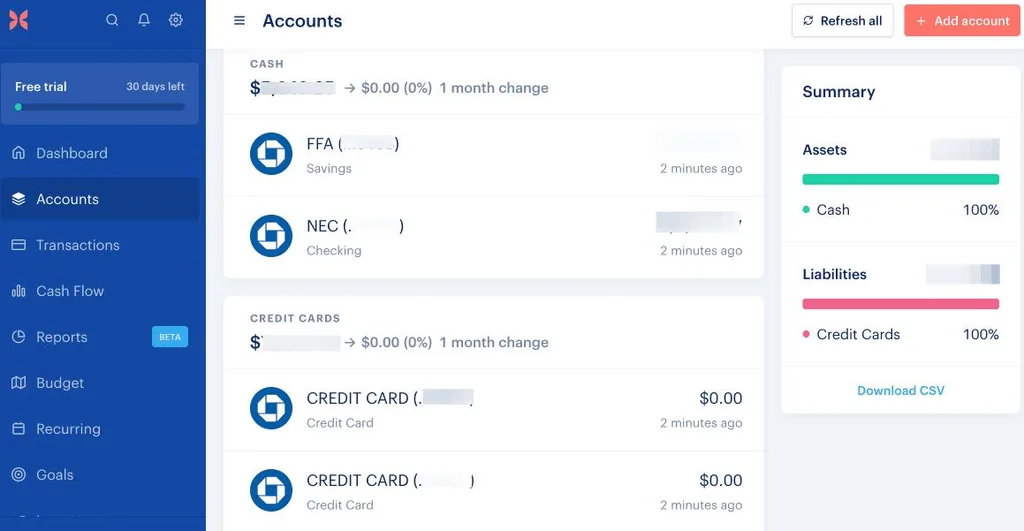
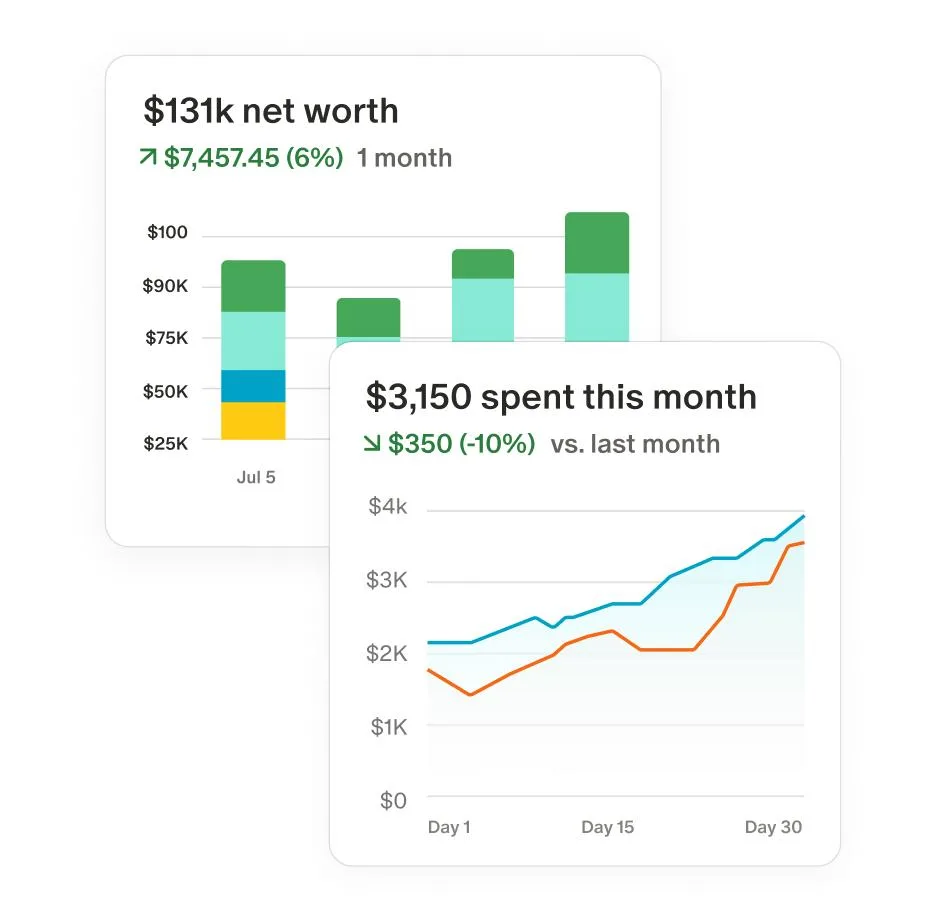
Monarch Money wins the top spot because it does everything well, and it does it in one clean interface. You can connect checking accounts, savings, credit cards, loans, mortgages, brokerage accounts, crypto wallets, and even property values. The app builds your full net worth, tracks spending by category, and surfaces an AI-generated weekly recap of what changed across all your accounts.
Its AI features go beyond categorization. The built-in AI assistant answers natural-language questions about your money. Smart Rules let you teach the app how to handle tricky transactions, and its categorization accuracy climbs past 95% after a few weeks of your corrections. The cash-flow forecast projects your balances into the future so you can plan around big bills without guessing.
Key details:
- Price: $99.99 per year (Core plan) or $14.99 monthly; 7-day free trial. Household sharing for couples is included at no extra cost.
- Best for: Couples, families, and anyone who wants one dashboard for spending, saving, investing, and net worth.
- Pros: No ads, reliable bank connections, strong customer support, frequent feature updates.
- Cons: No free tier, customizable rules take a little time to learn, the Plus plan costs $199/yr for advanced features.
If you share finances with a partner, Monarch is our clear pick — both of you see the same data in real time, and you can assign savings goals together.
2. Copilot Money — Best AI Depth for Apple Users
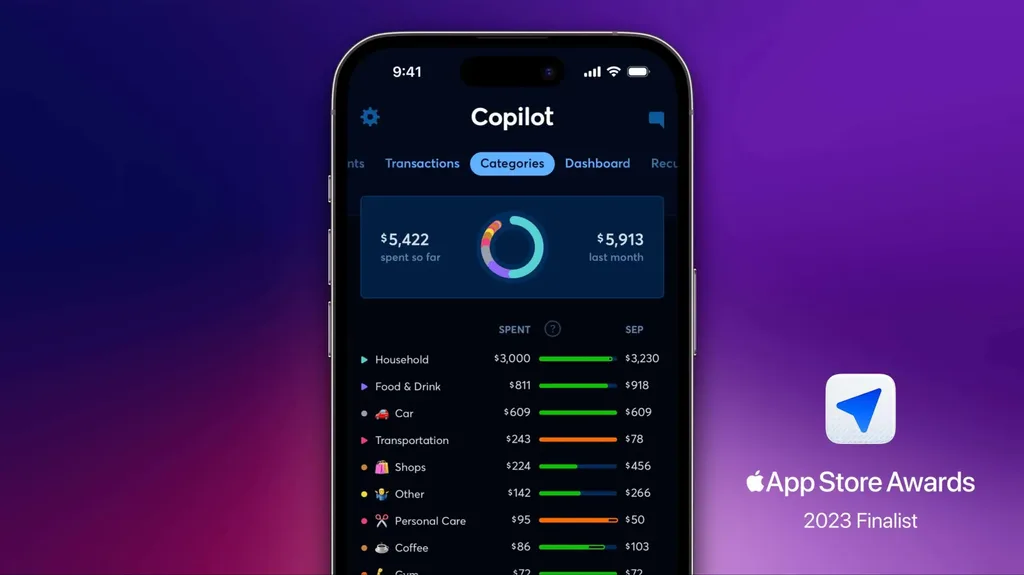
Copilot Money is the closest thing to a genuinely smart financial assistant on the market. It builds a custom machine-learning model for each user, so its categorization gets sharper the longer you use it. In independent testing it correctly classified roughly 94% of messy bank transactions out of the box. It even shows a confidence level on each charge so you only review the ones the AI is unsure about.
Its subscription intelligence is its highest-value feature. It groups recurring charges by the real merchant, even when the billing descriptor changes — a capability most competitors still lack. It launched a web version in late 2025, but it remains an Apple-first product with no native Android app.
Key details:
- Price: $95 per year ($7.92/mo equivalent) or $13 monthly; 30-day free trial, no credit card required.
- Best for: iPhone, iPad, and Mac users who want the most accurate automated tracking available.
- Pros: Best-in-class categorization, beautiful design, no ads or upsells, 2024 Apple Design Award finalist.
- Cons: No Android app, limited features for joint finances, no permanent free tier.
3. YNAB — Best for Budgeting Discipline and Debt Payoff
YNAB (You Need A Budget) is the methodology powerhouse. It is not the most AI-forward app on this list, and that is deliberate. It uses zero-based budgeting — every dollar gets a job before the month starts — and its four rules are designed to change how you think about money. Recent updates add AI-powered insights and spending reports on top of that proven framework.
The results speak for themselves. YNAB’s own data shows the average new user saves $600 in their first two months and more than $6,000 in the first year. Ninety percent of users say their finances are in a better place after starting. If you carry credit card debt or live paycheck to paycheck, that structured approach beats passive tracking — though if you feel overwhelmed by multiple debts, you may also want to explore whether debt consolidation makes sense for your situation.
Key details:
- Price: $14.99 monthly or $109 yearly; 34-day free trial, no credit card required.
- Best for: People who want to break paycheck-to-paycheck cycles, pay off debt, or build serious savings habits.
- Pros: Unmatched behavior-change framework, excellent educational content, works well for irregular income.
- Cons: Steep learning curve, requires 10–15 minutes a week, interface feels dated next to Monarch and Copilot.
4. Rocket Money — Best for Cutting Subscriptions and Bills
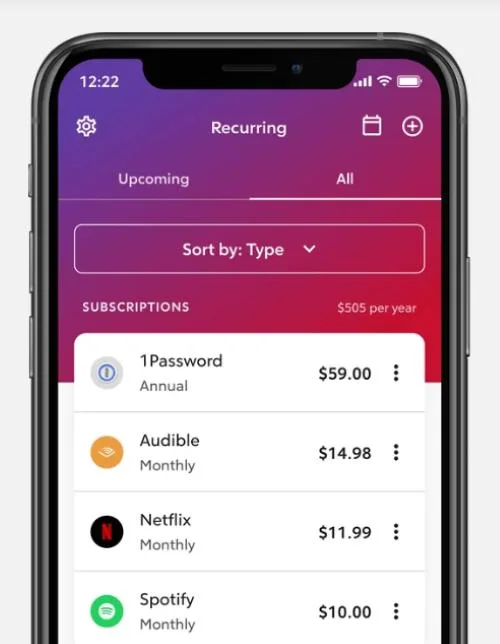
Rocket Money (formerly Truebill) exists to find money you are wasting and get it back. Its AI scans every transaction, flags recurring charges, and shows you a single list of every subscription you pay for. If you want to cancel one, the app handles it for you — no phone calls, no deliberately confusing cancellation pages. It also offers bill negotiation: its team calls your cable, phone, and internet providers to lower your rates, and it charges 30–60% of the first-year savings only if it succeeds.
Most users discover $50 to $100 a month in subscriptions they forgot they had. That matches broader research: nearly 60% of U.S. adults carry at least one unused paid subscription, and the average person wastes about $27 a month, or roughly $320 a year, on services they never open.
Key details:
- Price: Free tier available; premium runs $4–12/month on a “pay what’s fair” sliding scale with a 7-day trial.
- Best for: People who mainly want to stop subscription bleed and lower recurring bills.
- Pros: Real, fast savings, free tier covers core tracking, handles cancellations for you.
- Cons: Premium pricing is vague, bill negotiation takes a percentage cut, frequent upsells.
5. Cleo — Best Conversational AI Coach
Cleo turns budgeting into a conversation. You chat with it like you would text a friend — a very sarcastic friend. Ask “how much can I spend this week?” and it tells you. Turn on “roast mode” and it will mock your takeout habit. The approach works especially well for younger users and anyone who avoids opening their banking app. Cleo also offers cash advances up to $250 and a credit-builder program, though those are separate financial products, not budgeting features.
Key details:
- Price: Free basic tier; Cleo Plus $5.99/month; Cleo Builder $14.99/month.
- Best for: Beginners, Gen Z and millennial users, and anyone who wants money talk to feel less scary.
- Pros: Approachable and fun, strong for motivation, generous free tier.
- Cons: Less robust long-term planning, advances and credit builder carry fees, lighter on investment tracking.

6. Empower — Best Free AI Budgeting Tool
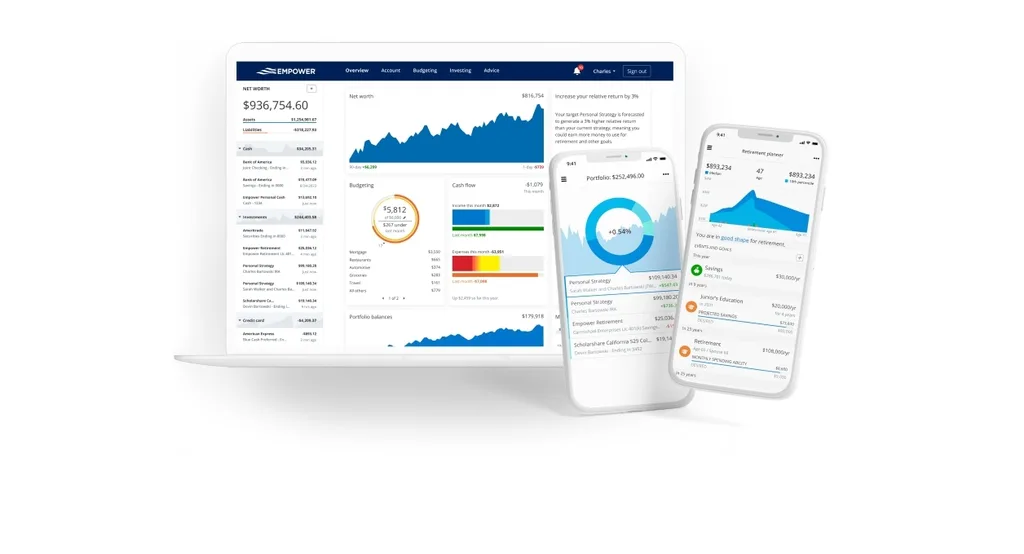
Empower (formerly Personal Capital) gives you a full financial dashboard for free. It tracks your spending, calculates your net worth, analyzes your investment fees, and runs a retirement checkup. Its budgeting tools are simpler than the paid apps — you get spending alerts and category tracking rather than deep envelope-style budgets — but you cannot beat the price. If your main goal is seeing your whole financial picture and planning ahead, pair it with a retirement calculator to stress-test your numbers.
Key details:
- Price: Free. (Empower also offers paid wealth management, but you never have to use it.)
- Best for: People who want free tracking plus investment and retirement visibility.
- Pros: No cost, strong investment analysis, excellent retirement tools.
- Cons: Budgeting features are basic, you may get calls from wealth advisors once your balance grows.
7. Simplifi by Quicken — Best-Value Paid AI Budgeting Tool
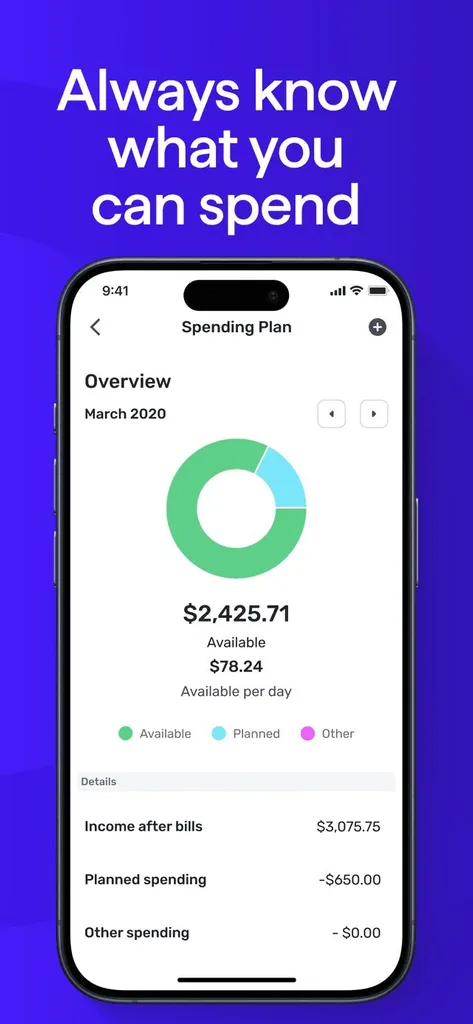
Simplifi by Quicken sits in the sweet spot between free apps and the premium $100-a-year tier. It auto-categorizes your transactions, builds a spending plan, and shows you a simple “left to spend” number after bills and savings. It costs roughly $3.99 a month with annual promotional pricing — about half of Monarch or Copilot. The tradeoff is lighter AI features and a less polished interface.
Key details:
- Price: Around $3.99–$5.99/month with annual plans; 30-day free trial.
- Best for: Budgeters who want paid-app quality at a lower price.
- Pros: Low cost, backed by Quicken, clean spending plan, watchlists for problem categories.
- Cons: AI forecasting and insights lag Monarch and Copilot, fewer goal-tracking features.
Honorable mentions: PocketGuard gives you one simple “safe to spend” number for about $74.99 a year. Tiller Money feeds your transactions into a Google Sheet or Excel for $79 a year if you want full spreadsheet control. Origin combines budgeting and investing with an AI sidekick at a low introductory price.
What the AI Actually Does Inside These Apps
You will see the phrase “AI-powered” on almost every finance app now. Here is what real AI budgeting features look like, so you can tell substance from marketing:
- It learns from your corrections. If you re-categorize that $40 charge from “shopping” to “groceries,” a true AI app applies that rule to future charges from the same merchant. A non-AI app makes you do it every time.
- It detects patterns across months. It notices your electric bill spikes in summer and warns you in advance, or it sees your dining-out spending creeping up 15% quarter over quarter.
- It forecasts, not just reports. It tells you, “At your current spending rate, you will hit your $2,000 checking floor on the 24th — three days before payday.”
- It answers questions conversationally. You do not have to find the right report. You ask, and the app pulls the number.
What it does not do: none of these tools act as a fiduciary financial advisor, and almost all of them use read-only access — they cannot move your money without you.
How to Choose the Right AI Budgeting Tool for You
The best tool is the one you will actually open every week. Match your situation to the pick:
- You share money with a partner or family. Choose Monarch Money. Household sharing is free, and the AI insights keep both of you informed.
- You use an iPhone or Mac and want the smartest automation. Choose Copilot Money. Its per-user machine learning is the most accurate available.
- You are in debt or living paycheck to paycheck. Choose YNAB. Its zero-based method forces the behavior change that passive tracking cannot.
- Your income varies month to month. If you are a freelancer or work gig jobs, YNAB and Monarch both handle irregular income well — just budget off your lowest expected month.
- You mainly want to cancel forgotten subscriptions. Start with Rocket Money’s free tier. It will pay for itself in one afternoon.
- You want free and you also invest. Choose Empower. It covers budgeting basics and adds retirement analysis at no cost.
- You want a paid app but at the lowest price. Choose Simplifi. It delivers most core features for roughly half the cost of Monarch.
Once the app frees up cash each month, put it somewhere it grows. A high-yield savings account turns that found money into an emergency fund or a down payment without locking it up.
Are AI Budgeting Apps Safe? Your Privacy and Security Checklist
Linking your bank to any app deserves a moment of caution. The good news: modern apps connect through secure tokens (OAuth), not by storing your password. The app gets read-only access to your transactions, and you can revoke that access at any time from your bank’s settings.
Before you connect an account, check for these five things:
- Token-based connections — you log in on your bank’s own page, not inside the app.
- Read-only access — the app cannot move money or initiate payments.
- 256-bit encryption and multi-factor authentication on your account.
- A clear privacy policy that says the company does not sell your financial data.
- The ability to revoke access easily from both the app and your bank.
The Consumer Financial Protection Bureau’s financial data rights rule gives consumers more control over how banks share their data with third-party apps, and reputable budgeting tools comply with its standards. If an app’s privacy policy is vague about data sharing, treat that as a warning sign and pick a different one.
Free vs Paid: Is an AI Budgeting App Worth the Cost?
Free apps like Empower and Rocket Money’s free tier cover the basics: transaction tracking, category breakdowns, and net worth. If that is all you need, you will do fine without paying.
Paid apps — typically $8 to $15 a month, or $95 to $110 a year — buy you three things free tools cannot match: more accurate AI categorization, cash-flow forecasting, and human support without ads. Consider the math: if a $10/month app helps you find and cancel just one $12/month subscription, it pays for itself. If it also cuts your overspending by 5%, you come out hundreds of dollars ahead.
You can also improve the income side of your budget. A single successful move to negotiate salary can add thousands to your yearly take-home — far more than any app will ever cost. The most effective strategy combines both: use an AI tool to control spending, and direct the savings toward your goals.
Frequently Asked Questions
What is the best AI budgeting tool overall?
For most people in 2026, Monarch Money is the best overall AI budgeting tool. It combines accurate AI categorization, a natural-language assistant, cash-flow forecasting, and free household sharing. If you use only Apple devices, Copilot Money edges it out on AI accuracy and design.
Are AI budgeting apps worth paying for?
Yes — if you will use the forecasting and automation features. A $10/month app pays for itself the moment it helps you cancel one forgotten subscription. If you only want basic tracking, Empower’s free version is enough.
What is the best free AI budgeting app?
Empower (formerly Personal Capital) is the strongest free option. It tracks spending, calculates net worth, and adds free investment and retirement analysis. Rocket Money’s free tier is the best pick if you mainly want to find and cancel subscriptions.
Can AI budgeting apps connect to my bank safely?
Yes, when they use token-based, read-only connections. Reputable apps never store your bank password. You can revoke their access at any time from your bank’s settings. Always check the privacy policy before connecting.
Is YNAB actually AI-powered?
YNAB is methodology-first. Its core is zero-based budgeting, but recent updates layer AI-driven insights and reports on top. If you want pure conversational AI, choose Copilot or Monarch. If you want a system that changes your habits, YNAB still leads.
Do AI budgeting tools give financial advice?
No. They provide insights and projections based on your data, but they are not fiduciary advisors. They cannot tell you which investments to buy or whether to refinance your mortgage. For that level of guidance, work with a qualified financial advisor.
How much money can an AI budgeting app save me?
Most users find $50 to $100 a month in forgotten subscriptions alone. YNAB reports average savings of $600 in the first two months for committed users. Your results depend on your starting habits and how consistently you use the app.
Can I use ChatGPT to budget instead of an app?
You can use ChatGPT as a budgeting assistant — paste your transaction data and it will build a plan or spot patterns. But it cannot sync with your bank automatically, so you will spend time exporting and cleaning data. An AI budgeting app does that syncing for you in real time.
Final Verdict: Which AI Budgeting Tool Should You Pick?
You do not need to overthink this. Start with one of these three:
- Monarch Money if you want the best all-around tool and you share finances.
- Copilot Money if you live in the Apple ecosystem and want the smartest AI.
- Empower if you want to pay nothing and still see your full financial picture.
Every app on this list offers a free trial or a free tier. Pick one, connect your accounts, and use it for 30 days. The real win is not which app you choose — it is building the habit of looking at your money regularly. Once that habit sticks, you will be well on your way to financial independence, and the app will have paid for itself many times over.


Leave a Reply